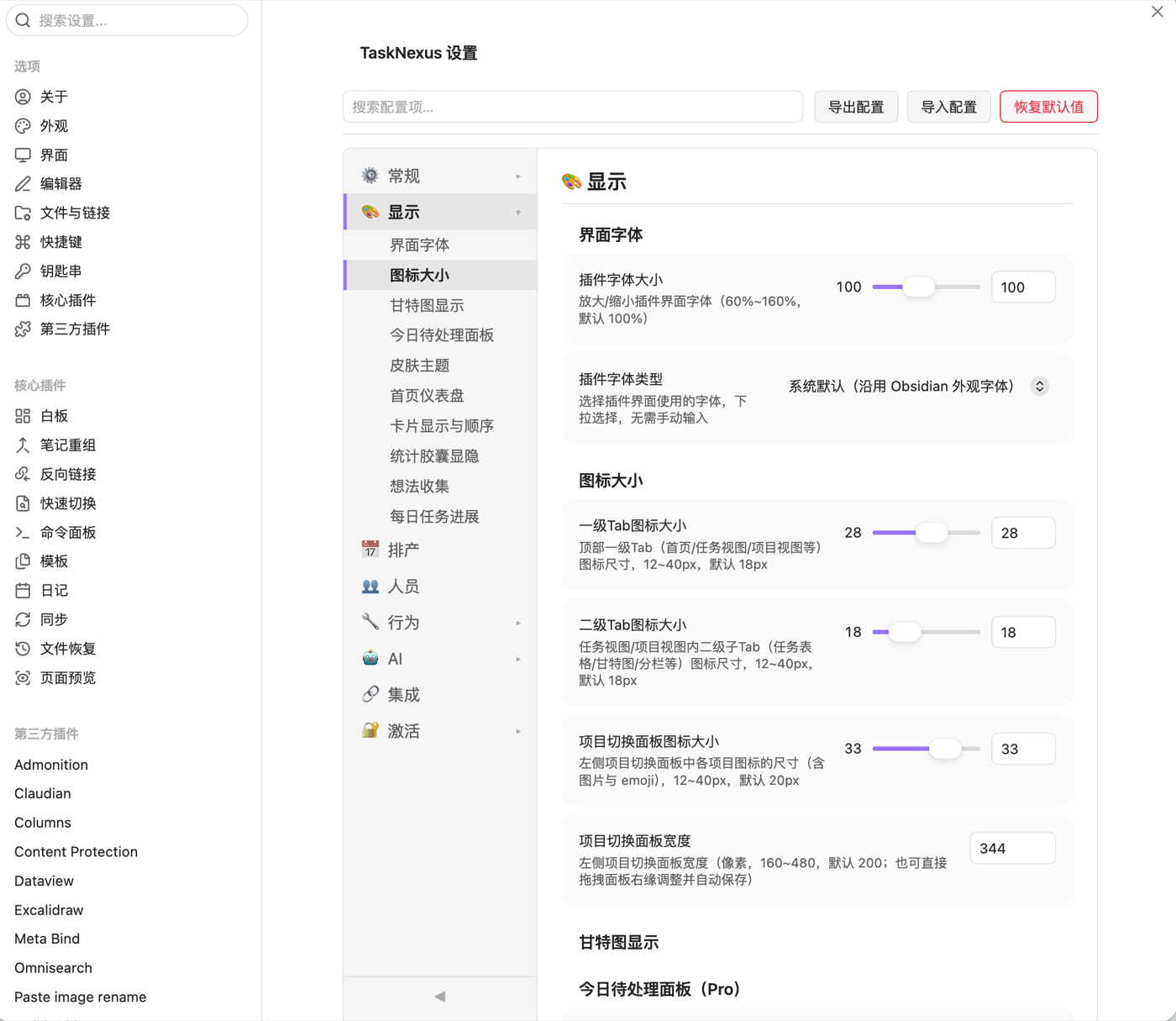
Obsidian plugin ยท Free & Pro

Turn your notes into a real project timeline

Task Nexus adds Gantt-style planning to the vault you already live in โ€” plan tasks, track progress and switch views without ever leaving your notes.

๐Ÿ—“๏ธ Gantt timeline โšก Quick add ๐Ÿ—‚๏ธ Project view ๐Ÿ“… Today panel ๐Ÿงฎ Stats dashboard ๐Ÿ’ก Idea inbox
Obsidian โ€” Task Nexus
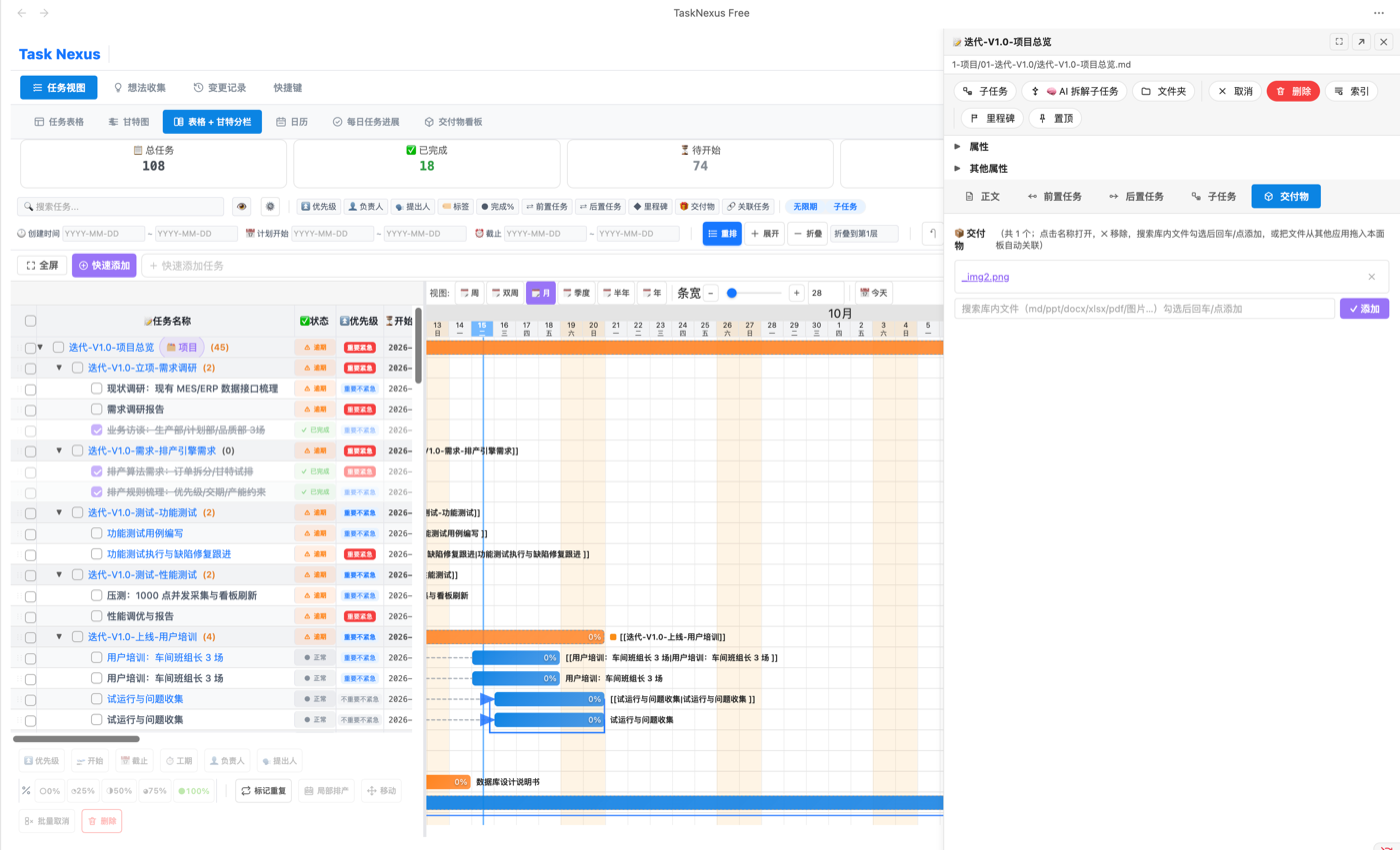
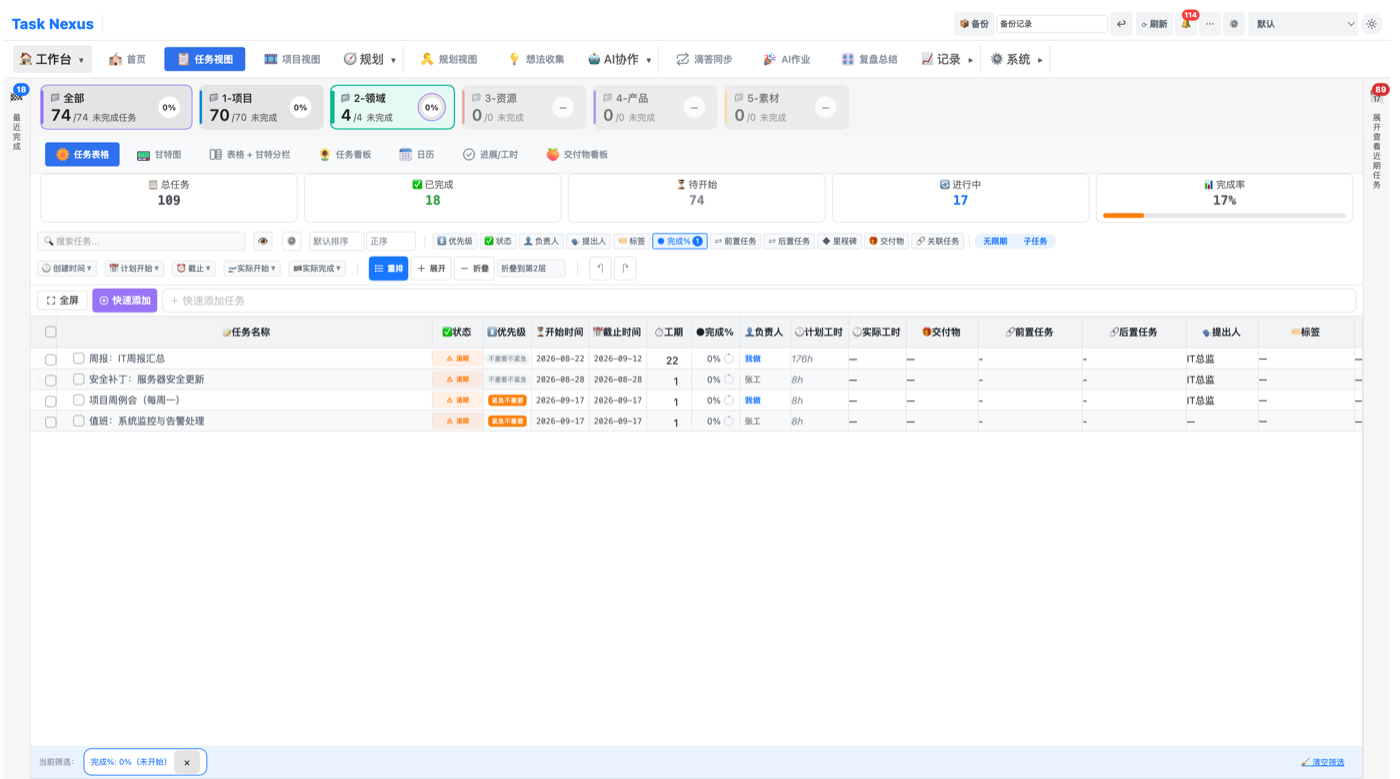
Task Nexus gantt chart view
๐Ÿ’ก

Task Nexus is more than a Gantt chart plugin

It is a complete project scheduling system โš™๏ธ โ€” for personal task management ๐Ÿ“ and team collaboration ๐Ÿ‘ฅ alike, giving you real time planning and progress tracking without leaving Obsidian.

It reads the standard Markdown - [ ] task syntax and renders every task as a visual Gantt chart, with multiple time scales, multi-project management and per-person scheduling, so you always see the whole picture.

Why teams choose Task Nexus

โŒ The old way
  • Tasks scattered across notes, no way to see the whole picture
  • Jumping between multiple tools just to manage one project
  • Manually maintaining Gantt charts โ€” slow, tedious, error-prone
  • Team scheduling in Excel, always out of date and out of sync
โœ… With Task Nexus
  • Open Obsidian and every task becomes a Gantt chart automatically
  • One plugin for scheduling, analytics and AI decomposition
  • Drag to reschedule; parent tasks aggregate their duration
  • Dashboards update live, so managers always see the full picture

Core features

27 modules covering the full project management workflow

Pro
๐Ÿ—‚๏ธ

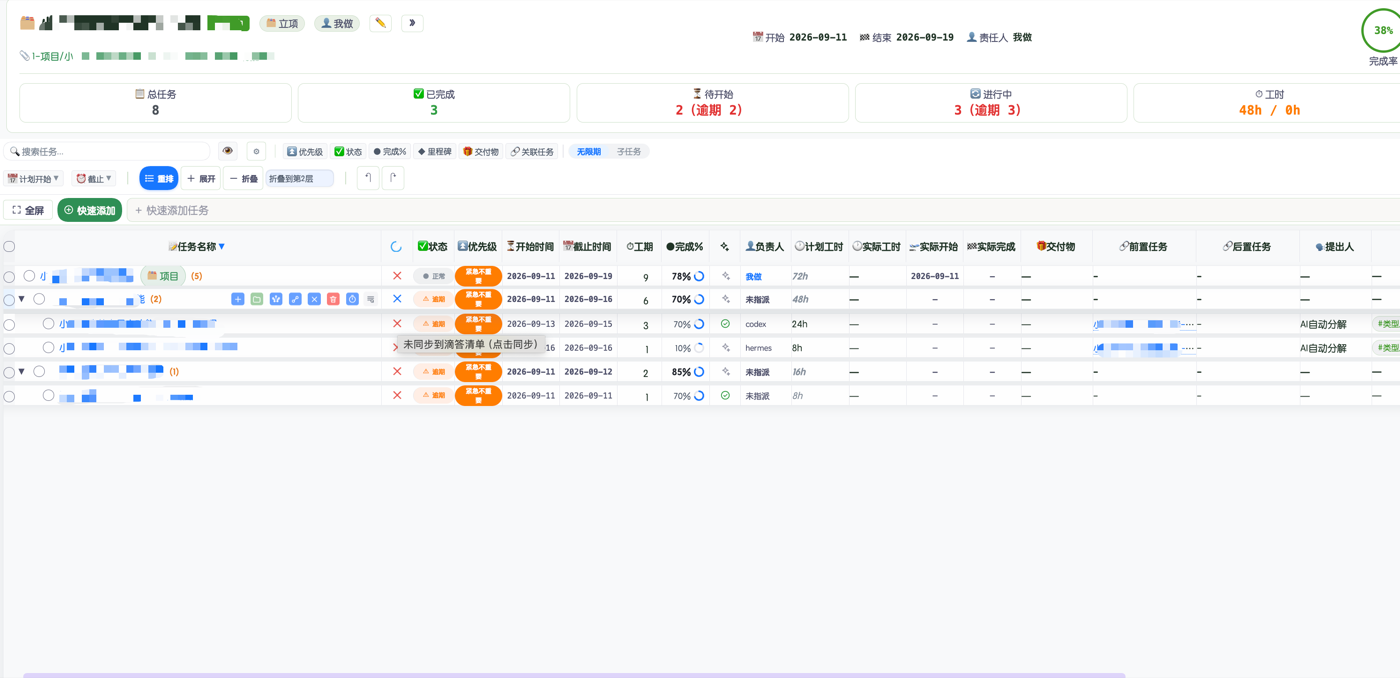
Project view

Move from single tasks to whole-project progress at a glance

Project view
  • An analytics panel generated for every project
  • Total tasks, completion rate, overdue analysis
  • Visualised workload per person
  • Milestone sub-view: key dates grouped by month, filter by status / owner
๐Ÿ“– Read the guide โ†’
Pro
๐Ÿ‘ฅ

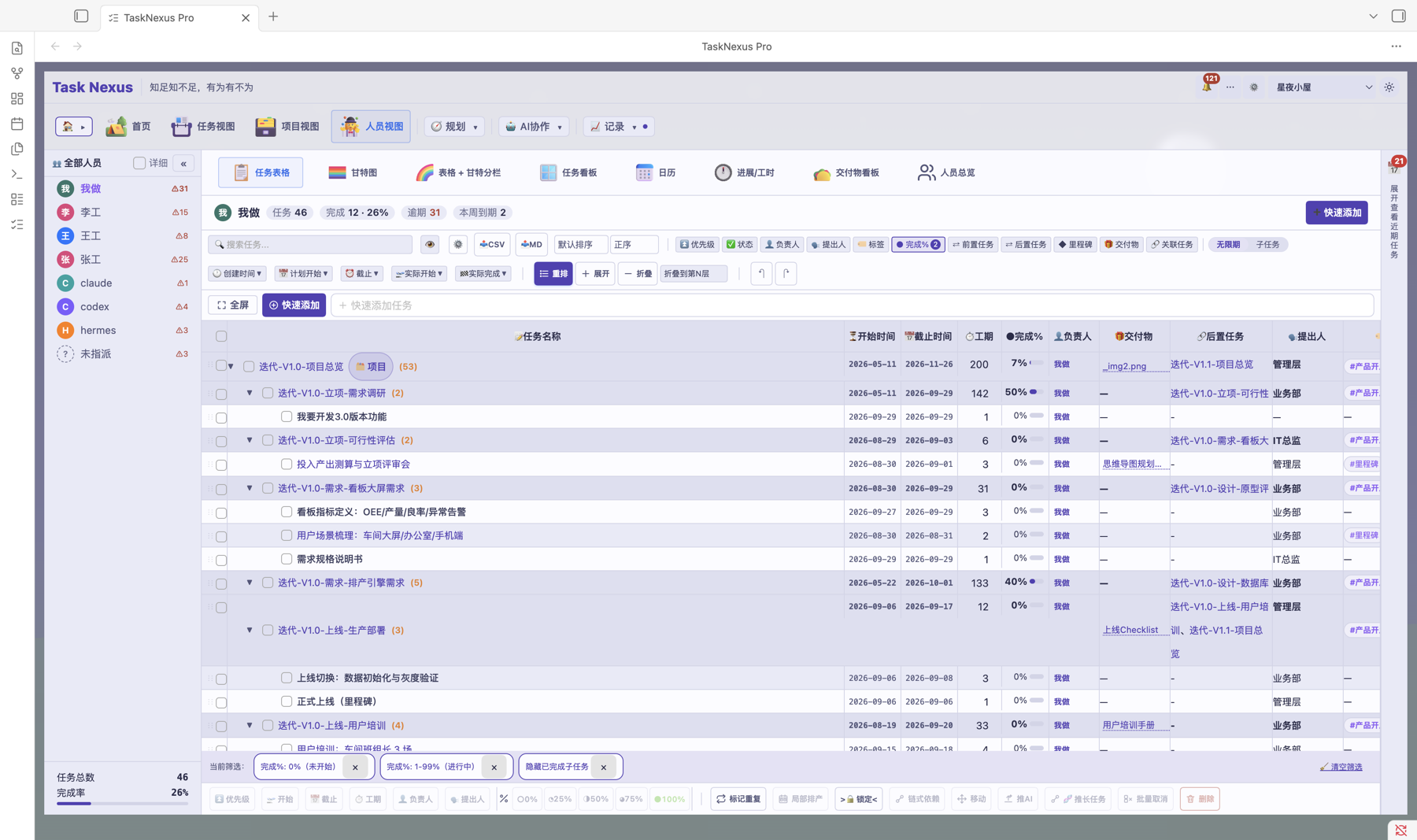
People view

See work by person โ€” who is doing what, and where the load sits
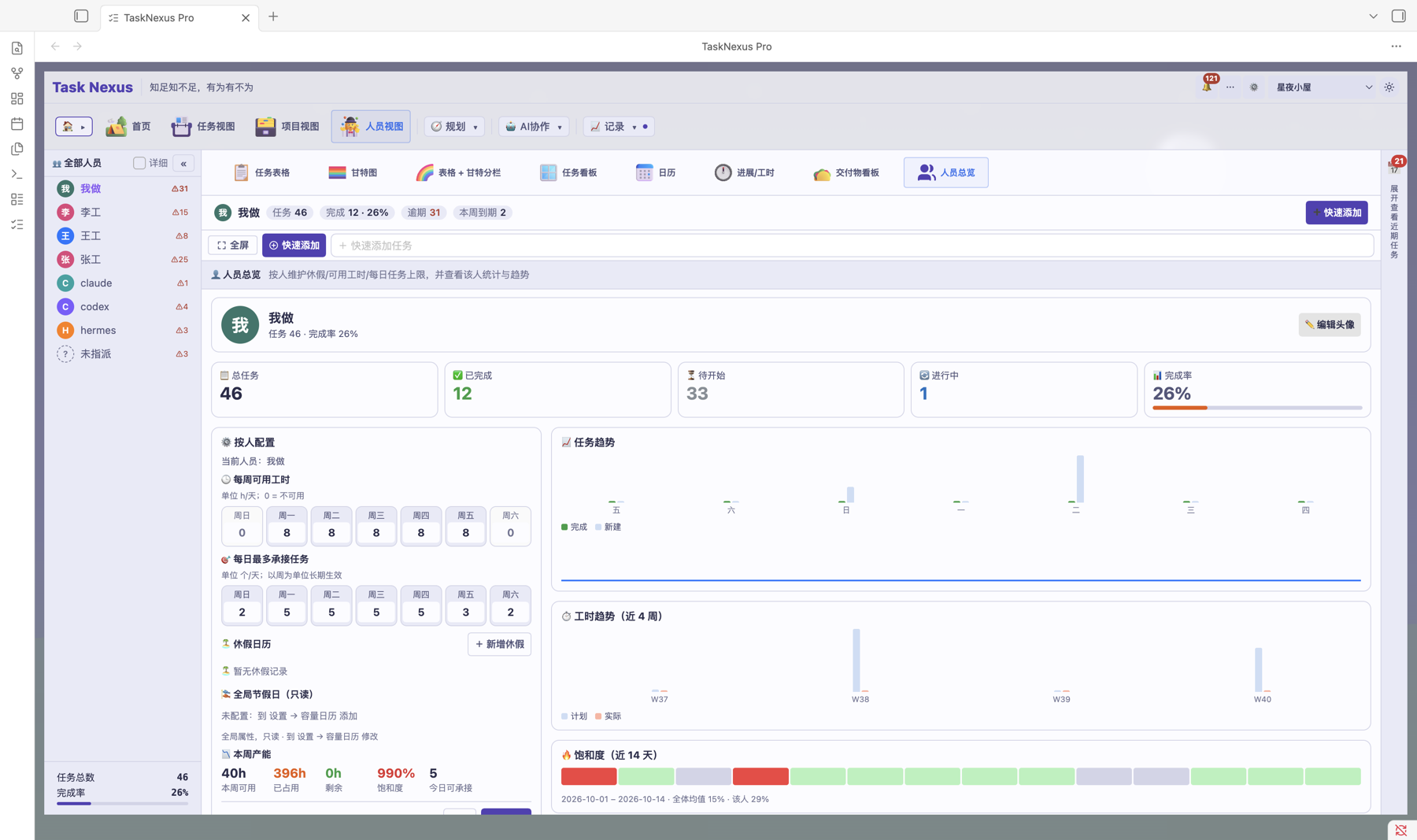
People view: member overview People view: task table
  • Member overview: task distribution and progress per person
  • The same table / gantt / kanban / calendar views as the task view
  • Deliverables, daily progress and work hours by person
Pro
๐Ÿ“…

Today panel

Focus on what matters today, see it the moment you open Obsidian

Home dashboard with today's tasks
  • Kanban mode and list mode
  • Shown live beside the Gantt chart
  • Overdue tasks highlighted first
๐Ÿ“– Read the guide โ†’
Free
๐Ÿ’ก

Idea collection

Capture inspiration anywhere, turn it into a task in one click
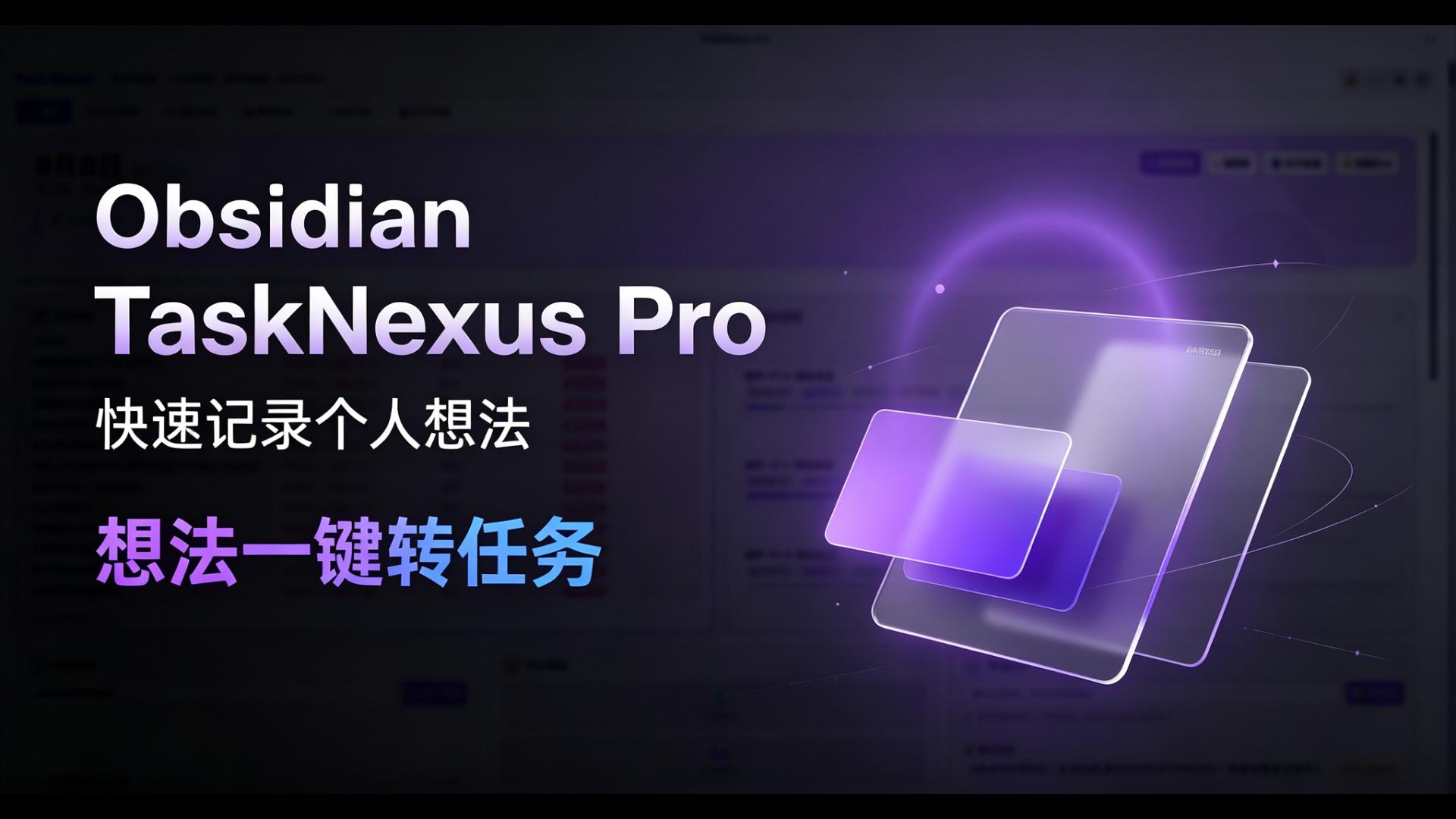
Idea collection
  • Quick-capture panel for ideas and sparks
  • Convert an idea into a task in one click
  • Keeps its source so you can trace it back
Free
โšก

Quick add

Create a task in one click, skip the tedious form

  • One-click creation with your default settings
  • Write into your daily note or any file
  • Auto-fills owner, priority and due date
Pro
๐Ÿ”„

TickTick sync

Manage tasks in Obsidian and on your phone, seamlessly
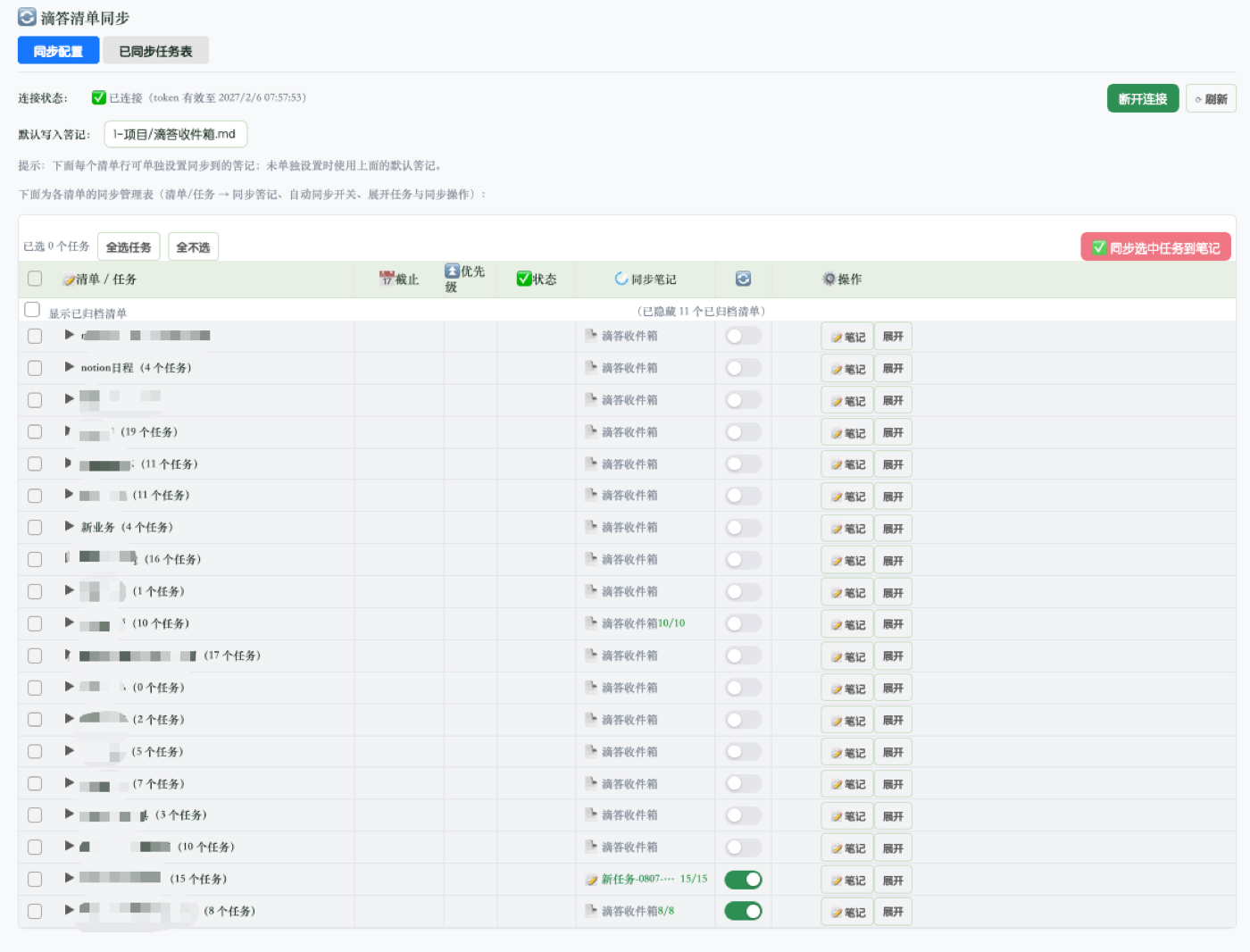
TickTick sync settings One-click sync to TickTick
  • Two-way sync with TickTick
  • Edit in Obsidian, updates land on mobile instantly
  • Finish a task on your phone, it writes back to Obsidian
  • Sync settings page plus one-click sync from the task table
Pro
โฑ๏ธ

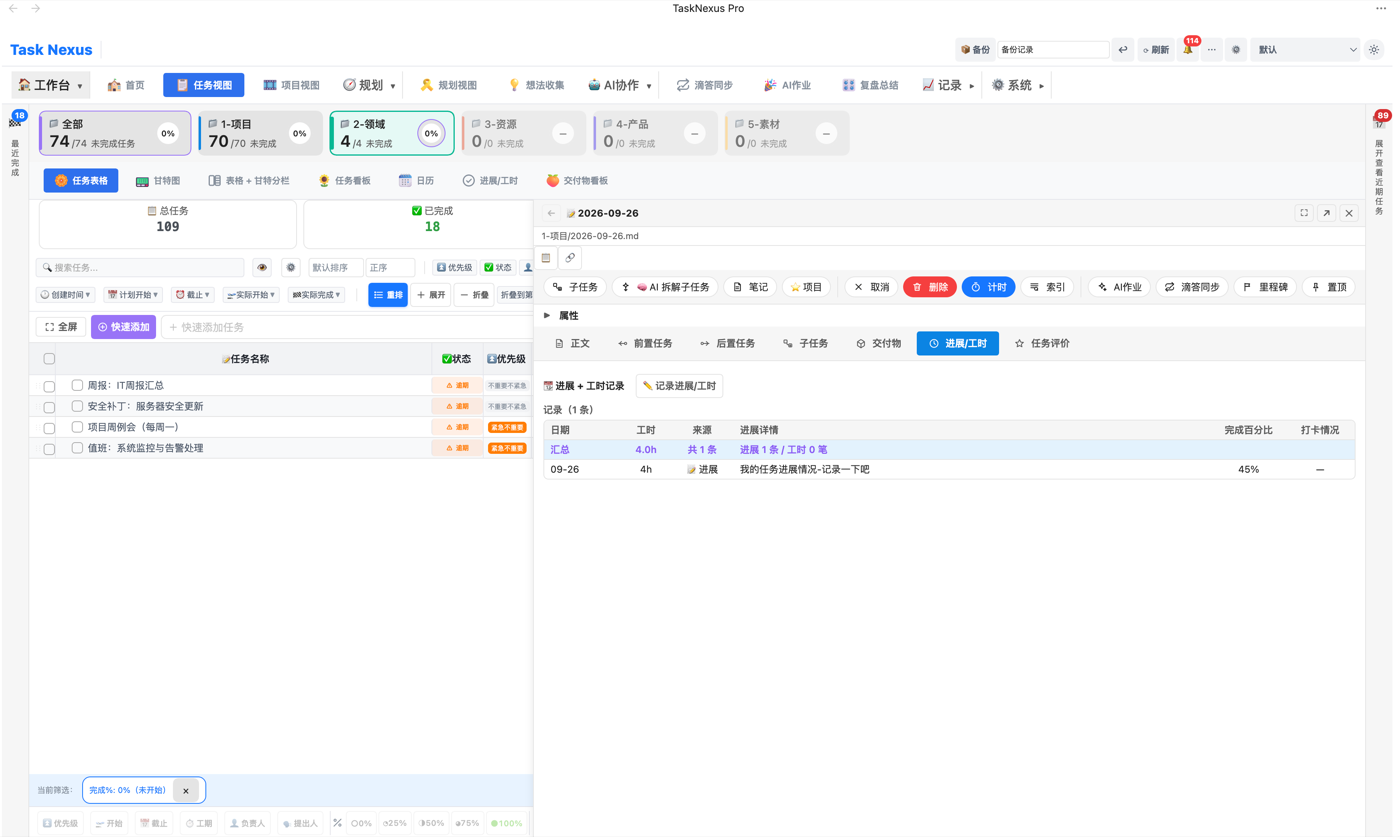
Task timer

Know exactly how long every task really took

Task timer panel Work hours in task details
  • Start / pause timing in one click
  • Records actual hours spent
  • Settles automatically into actualHours when a task is done
  • Work-log details: timer plus manual entry, exportable to CSV
๐Ÿ“– Read the guide โ†’
Pro
๐Ÿ“Š

Stats dashboard

A global dashboard that lets data drive decisions
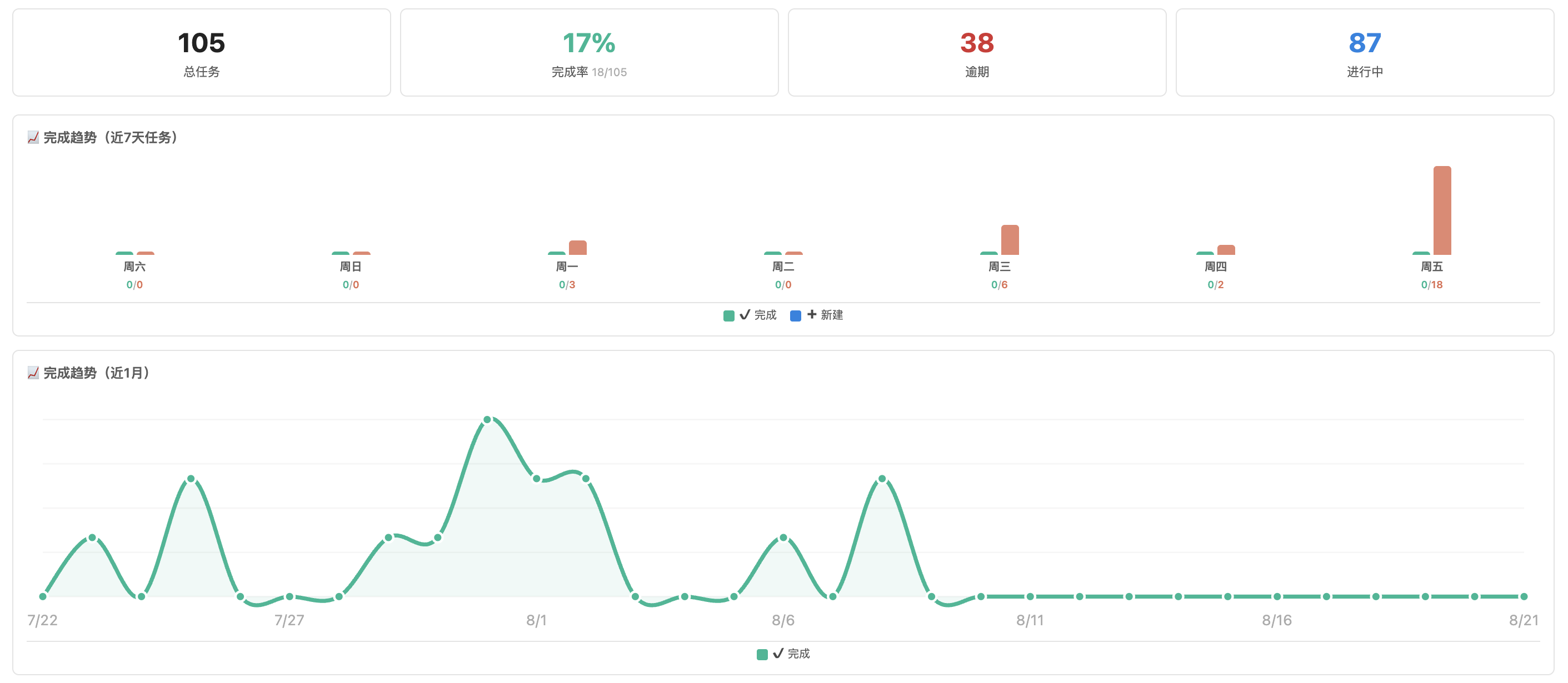
Stats dashboard Stats grouped by folder
  • Task totals, completion rate, overdue distribution
  • Workload analysis per person
  • Weekly and monthly trend charts
  • Group stats by folder โ€” one click per directory
  • Stage bar with progress rings, click to filter
๐Ÿ“– Read the guide โ†’
Pro
๐Ÿ“

Change log

Every adjustment leaves a trace

  • Records every task change automatically
  • Date shifts, status edits, additions and deletions
  • One-click rollback
Pro
๐Ÿ””

Notifications

Nothing important slips through

  • Detects overdue tasks automatically
  • Pop-up when a new task is assigned to you
  • Native reminders inside Obsidian
Pro
๐Ÿ“‹

Task kanban

Drag-and-drop board, every status at a glance

Task kanban
  • Drag cards to move tasks between statuses
  • Group and filter by owner or priority
  • Stays in sync with the Gantt chart in real time
๐Ÿ“– Read the guide โ†’
Pro
๐Ÿ“ฆ

Deliverables

All task outputs in one place, drag and drop to upload
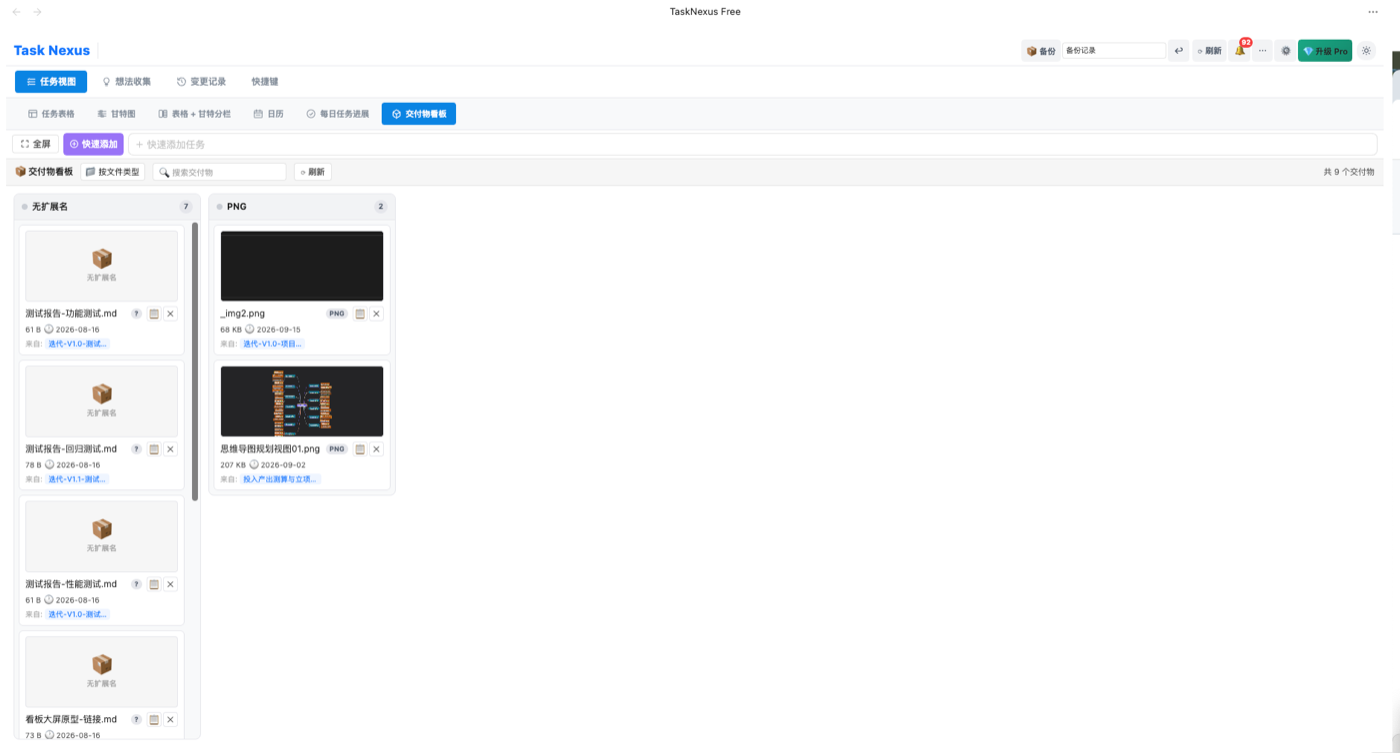
Deliverables board
  • Managed in the Deliverables tab of each task
  • Drag files in from other apps
  • Deliverables link back to their tasks automatically
Pro
๐Ÿค–

AI jobs

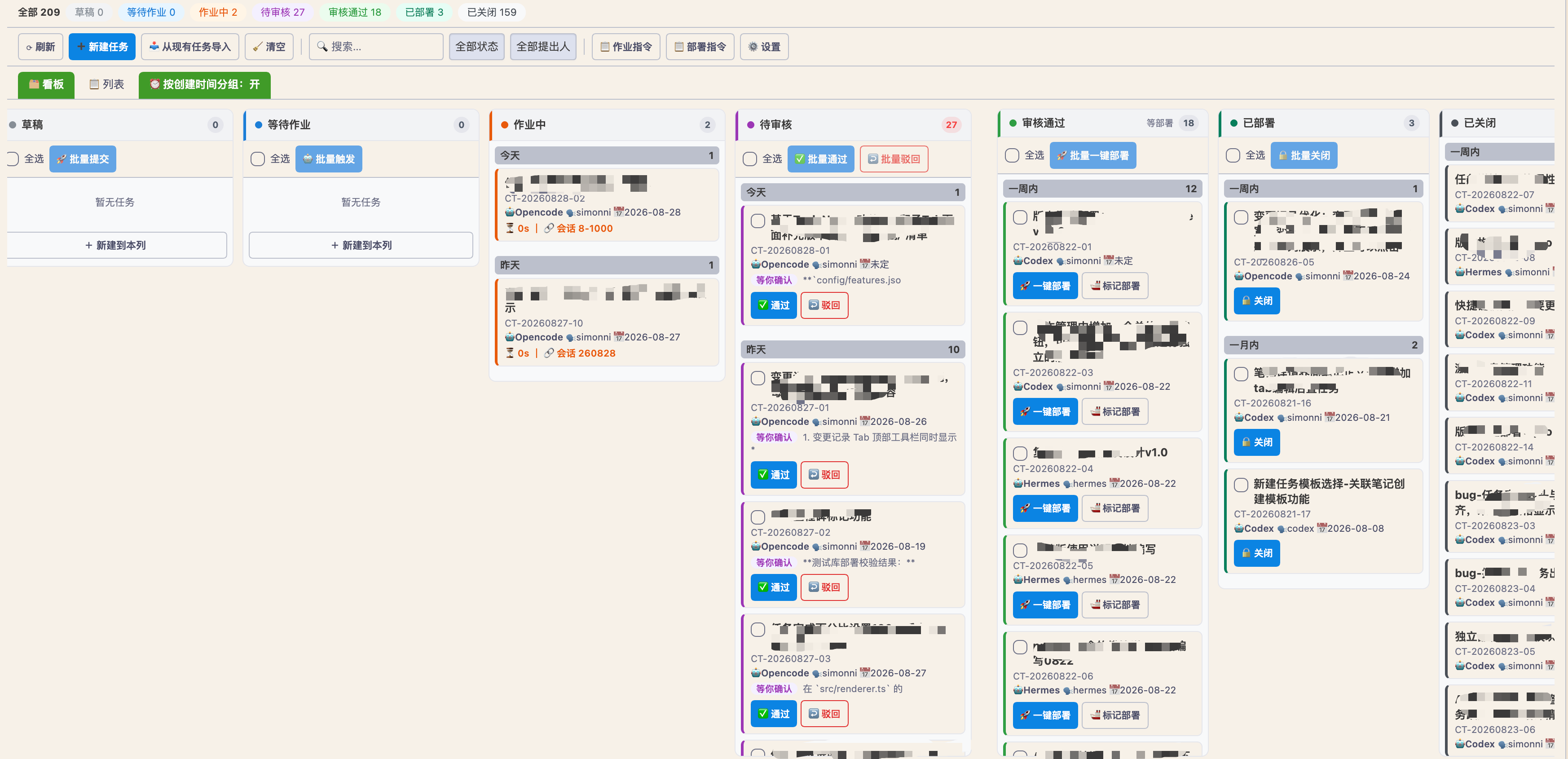
A task board built for AI agents โ€” a human + agent delivery pipeline

AI jobs board
  • AI claims, executes and delivers tasks on its own
  • Kanban flow: Queued โ†’ Working โ†’ Review โ†’ Deployed โ†’ Closed
  • Delivery and deployment progress fully visible
Pro
๐Ÿค–

AI task decomposition

Describe the work โ€” AI breaks it down into an executable subtask list
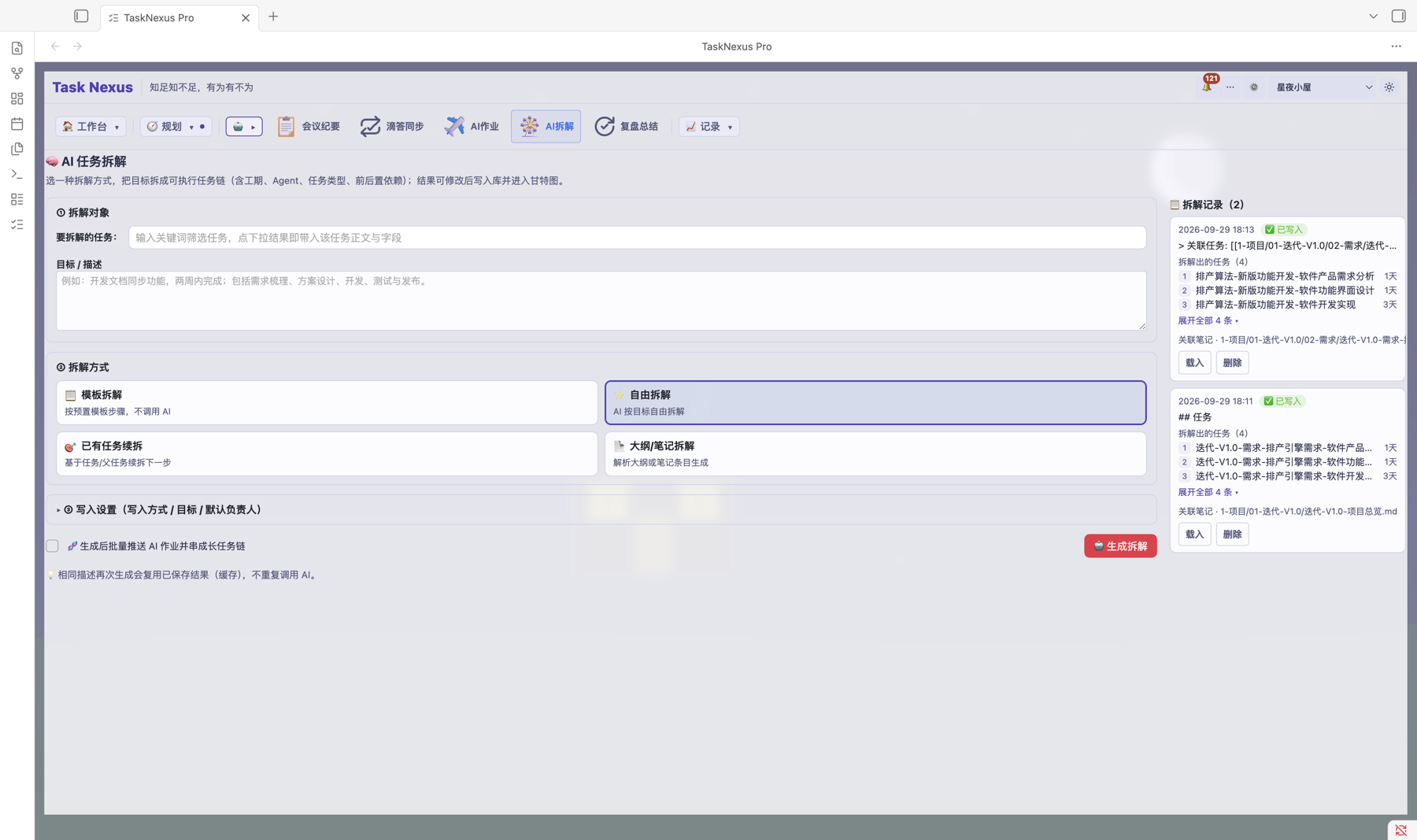
AI task decomposition panel
  • Decompose with templates you can configure yourself
  • Preview the generated subtasks โ€” write them in only after you confirm
  • Long task chains: keep decomposing subtasks level by level
Pro
๐Ÿ“

AI meeting minutes

Hand the meeting notes to AI and get a structured summary back
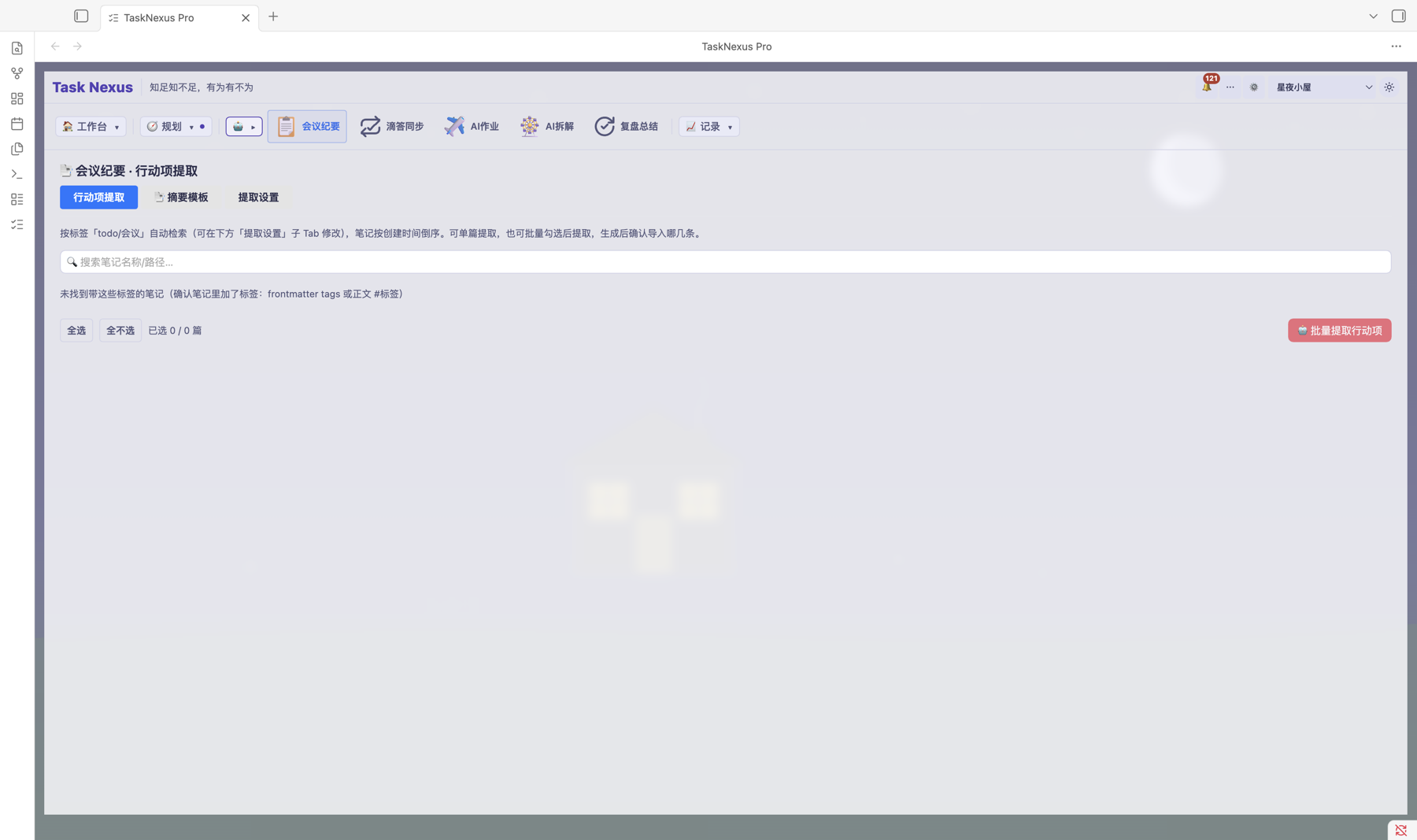
AI meeting minutes
  • Used straight from the "๐Ÿค– AI collaboration" sidebar menu
  • Automatically extracts key points, decisions and action items
  • Saved as a vault note that can link back to tasks
Pro
๐Ÿ”

AI review summary

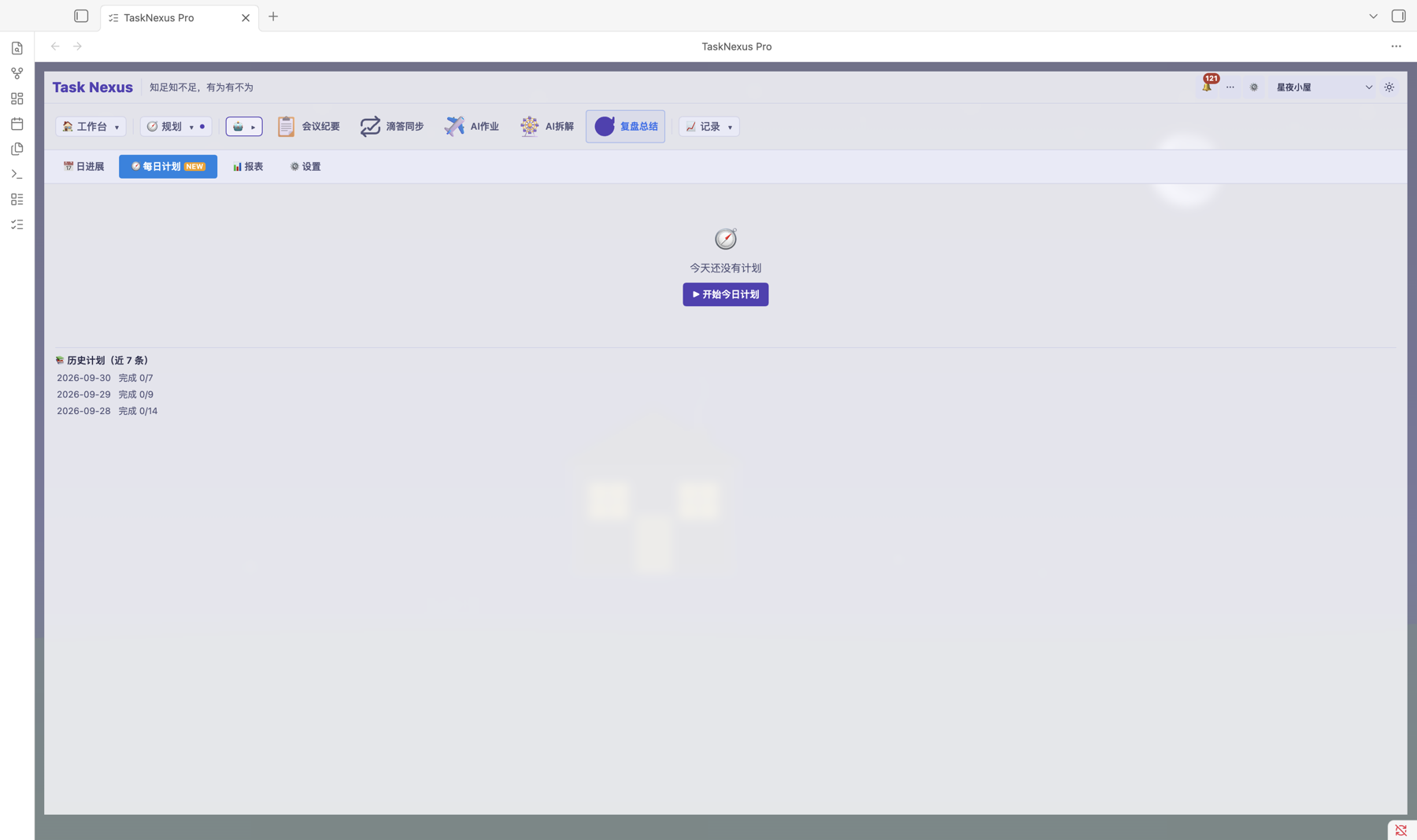
Let AI write your retrospective โ€” plan, execute and review in one loop

AI review summary
  • One click from the "๐Ÿค– AI collaboration" menu
  • Works with the home dashboard's daily plan and daily review
  • Stored as a note you can revisit any time
Pro
๐ŸŽฏ

Goals (OKR)

Objectives and key results in one place, so everyone knows where to aim

  • A dedicated ๐ŸŽฏ Goals tab for objectives (O) and key results (KR)
  • KRs track numeric progress (current / target) on a year, quarter or month cycle
  • Every goal has an owner, with progress and risk reviewed each cycle
  • Add goal overview, at-risk KR and cycle review cards to the home dashboard
Pro
๐Ÿ—บ๏ธ

Planning view

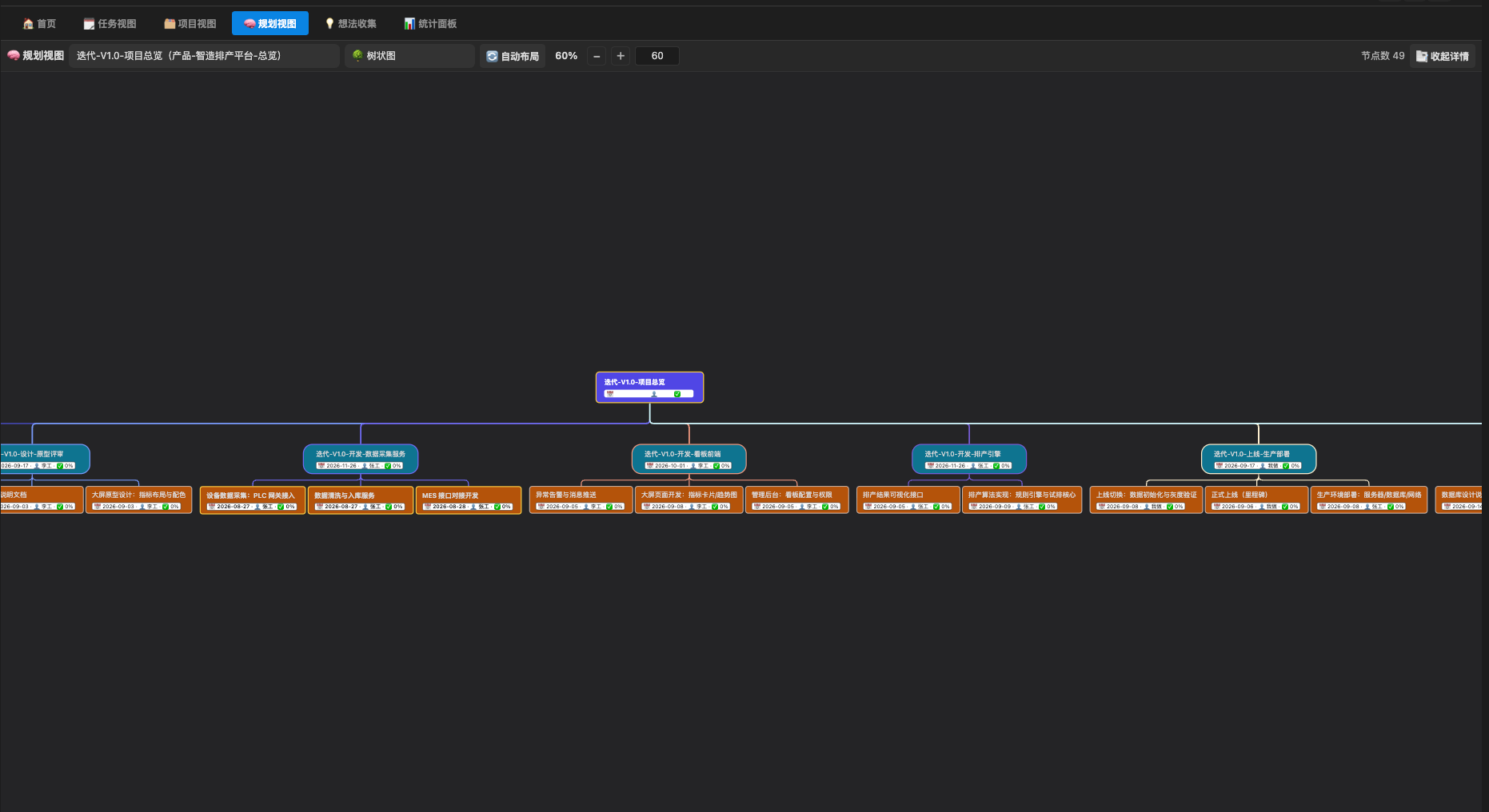
Mind-map style planning with a tree layout
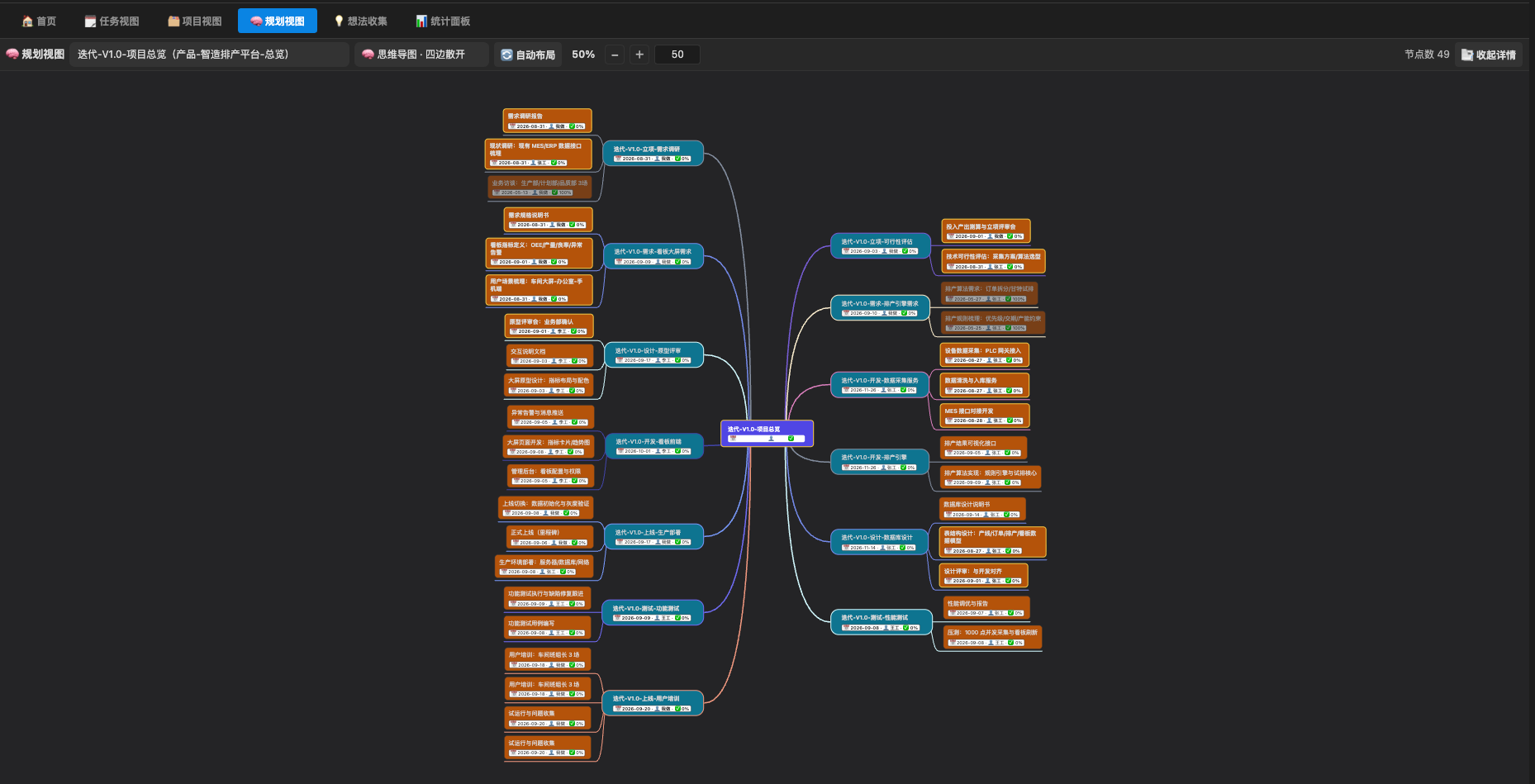
Planning view Planning view tree layout
  • Browse your task structure like a mind map
  • Tree view of sub-task hierarchy
  • Open any task detail straight from the view
Pro
๐Ÿ 

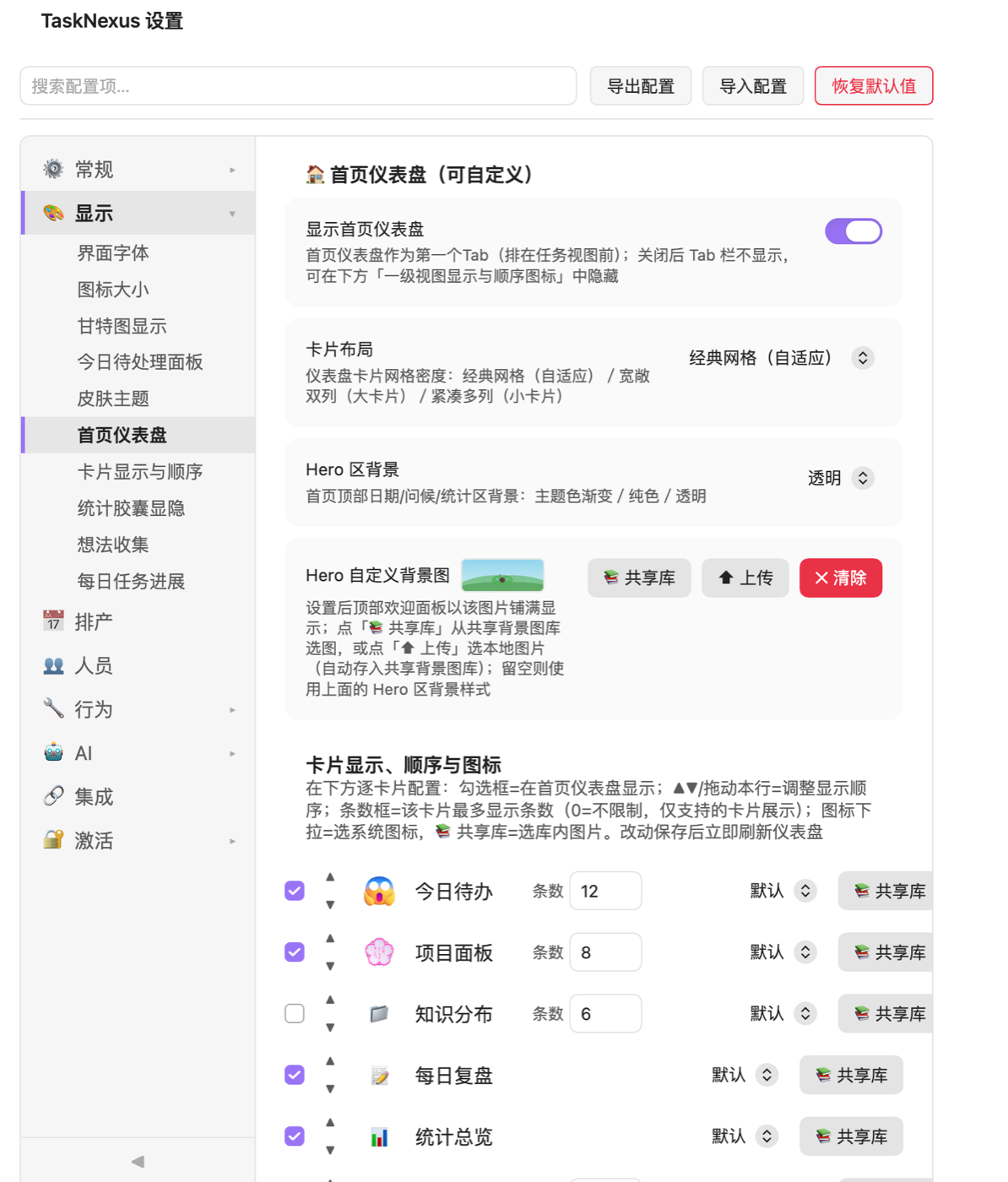
Home dashboard

Open the plugin, land on a dashboard โ€” to-dos, progress and stats on one screen
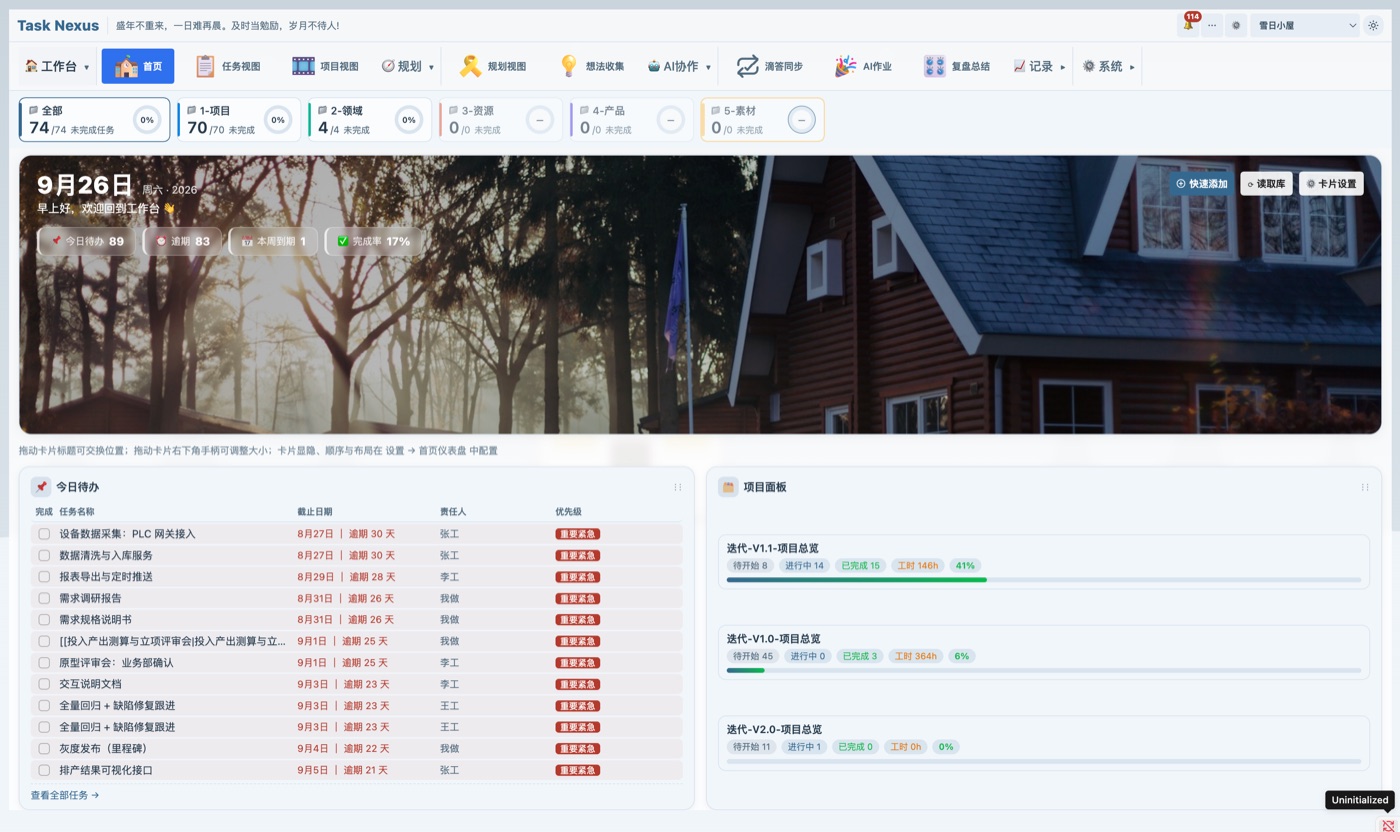
Home dashboard Dashboard module settings
  • Drag cards freely, multiple cards per row, rows can span
  • Per-card settings: show/hide, item limit, custom icon and size
  • Card icons can collapse for a cleaner home screen
  • Custom background image for the date & welcome header
  • Ideas captured in the quick panel convert to tasks in one click
Free
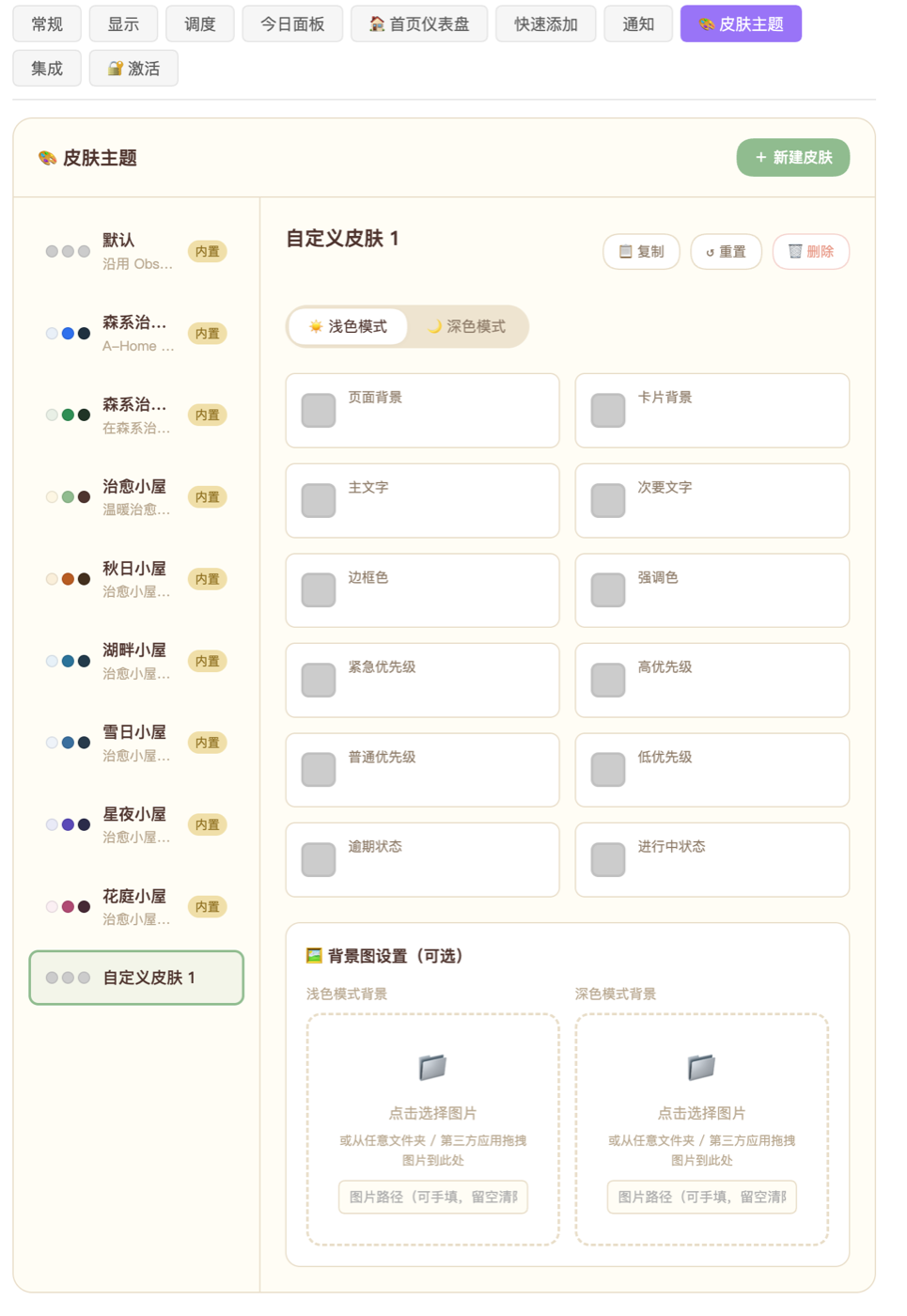
๐ŸŽจ

Skins & themes

Switch skins in one click and make the plugin yours
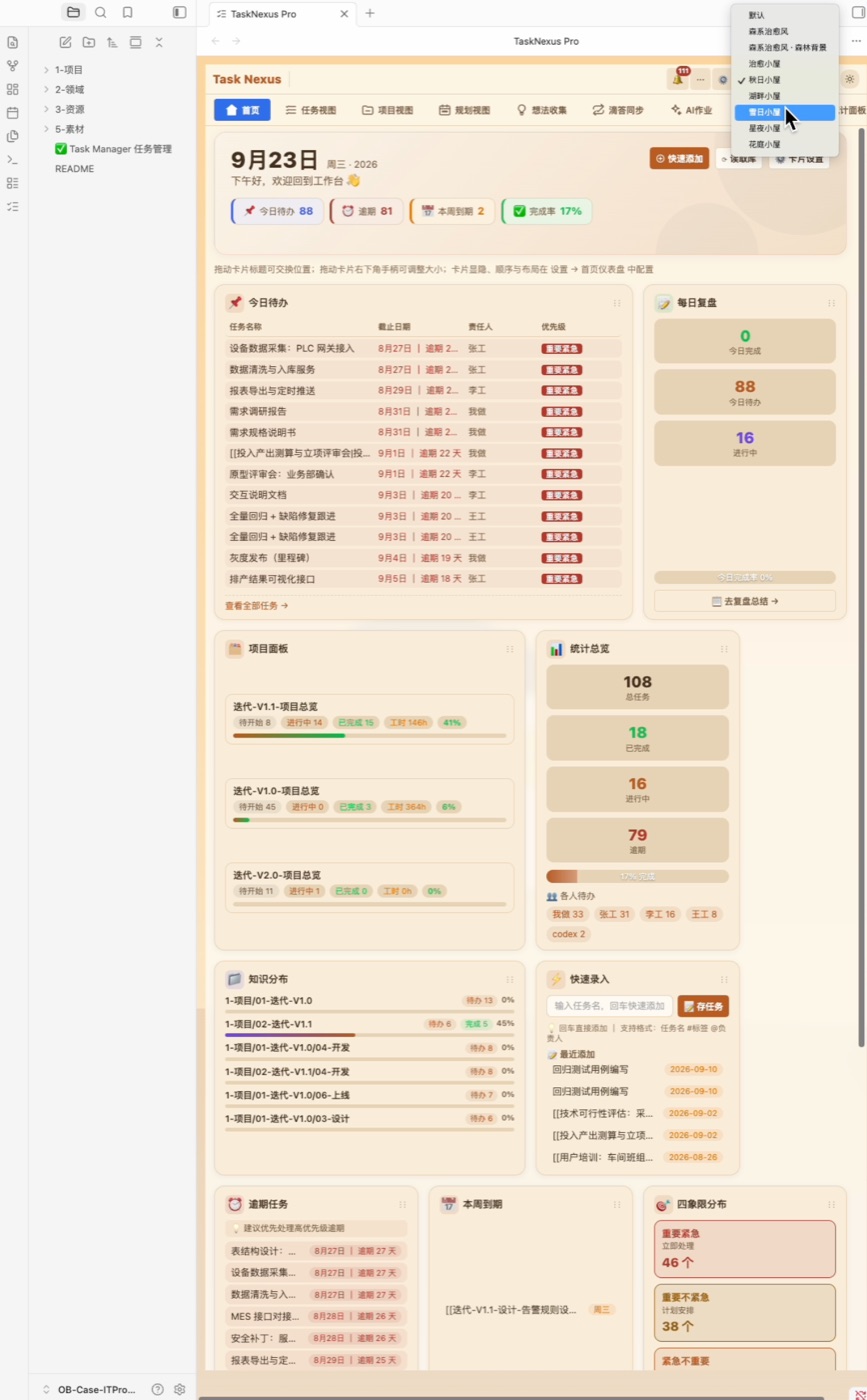
Skin switcher Skin settings
  • Toolbar skin dropdown with built-in sets, one click to switch
  • Every skin ships with light and dark palettes that follow your theme
  • Create custom skins with your own colours and background
  • Shared background library across home, projects and skins
Free
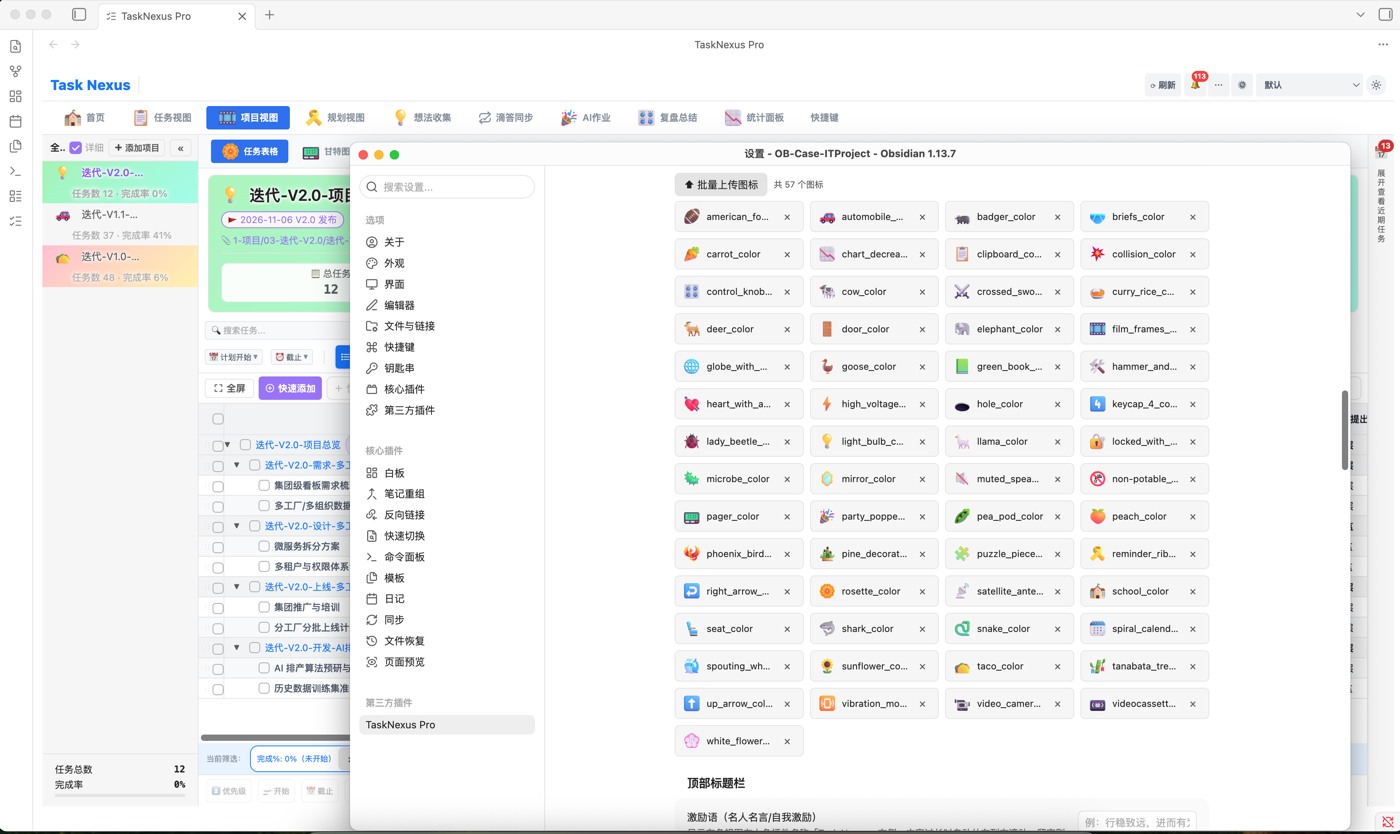
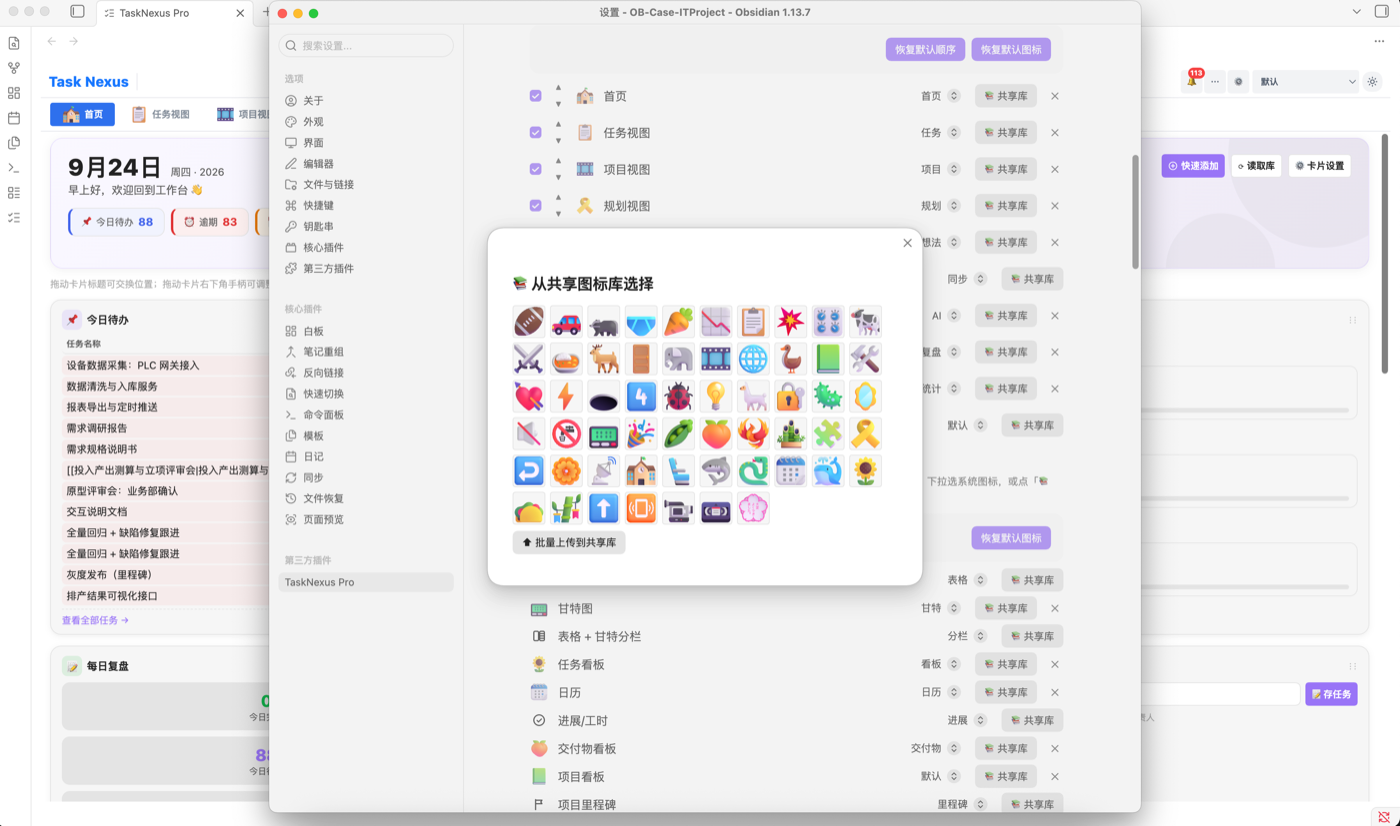
๐Ÿงฉ

Custom icons

A shared icon library with adjustable sizes โ€” every detail is yours to define

Shared icon library Pick an icon from the library
  • Shared library for top/second-level tabs, home panels and project icons
  • Upload your own images into the shared library
  • Independent icon sizes (12โ€“40px) for tabs, panels and cards
  • Changes apply instantly, no restart needed
Pro
๐Ÿ–ผ๏ธ

Project icons & backgrounds

Give every project its own storefront, recognisable at a glance
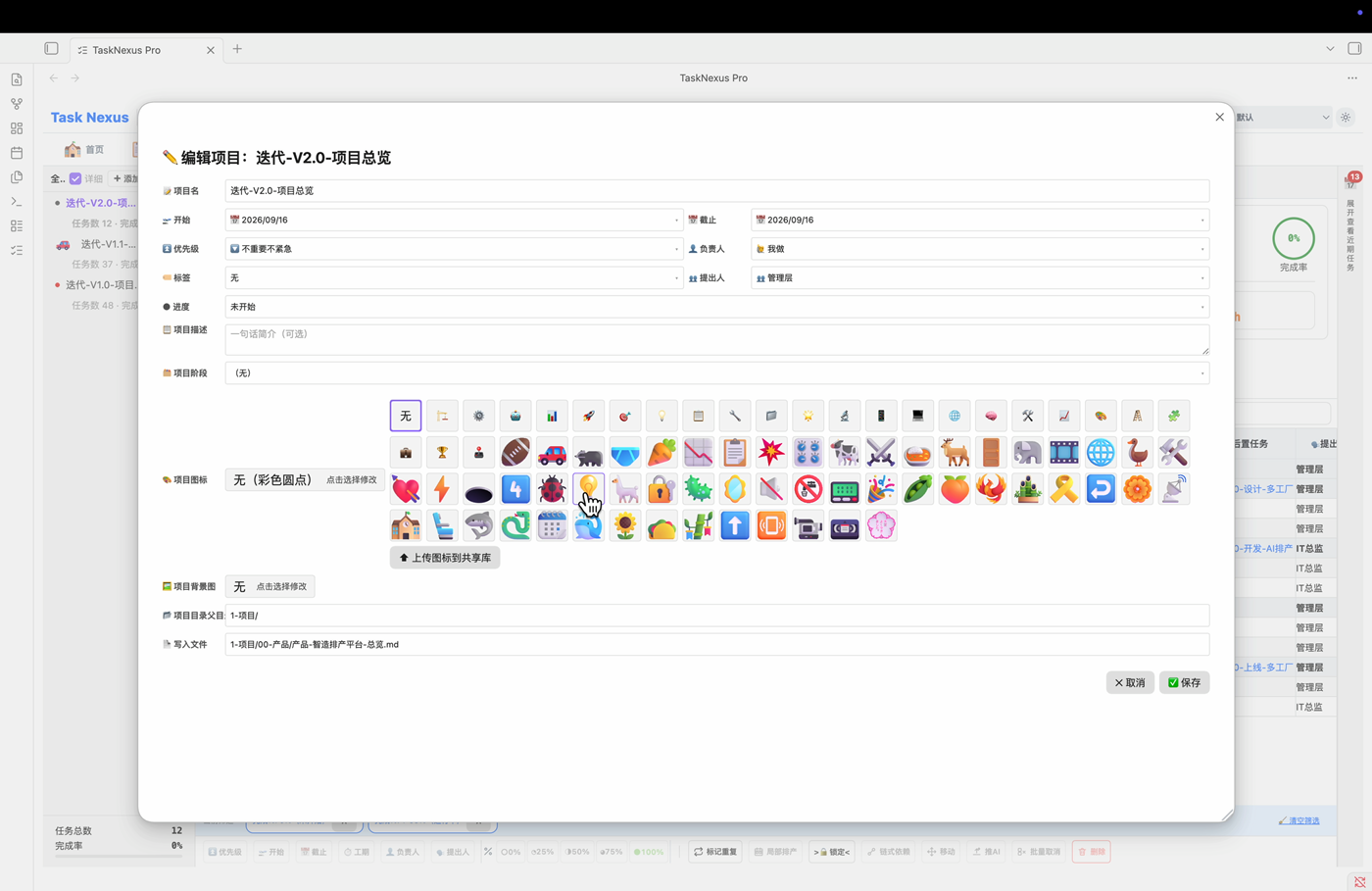
Edit project icon and background
  • Pick a dedicated icon per project when editing it
  • Set a dedicated background image per project
  • Shown on the project panel, project view header, task rows and stats header
Free
๐Ÿ—“๏ธ

Calendar board

Tasks laid out on a calendar, the schedule is obvious
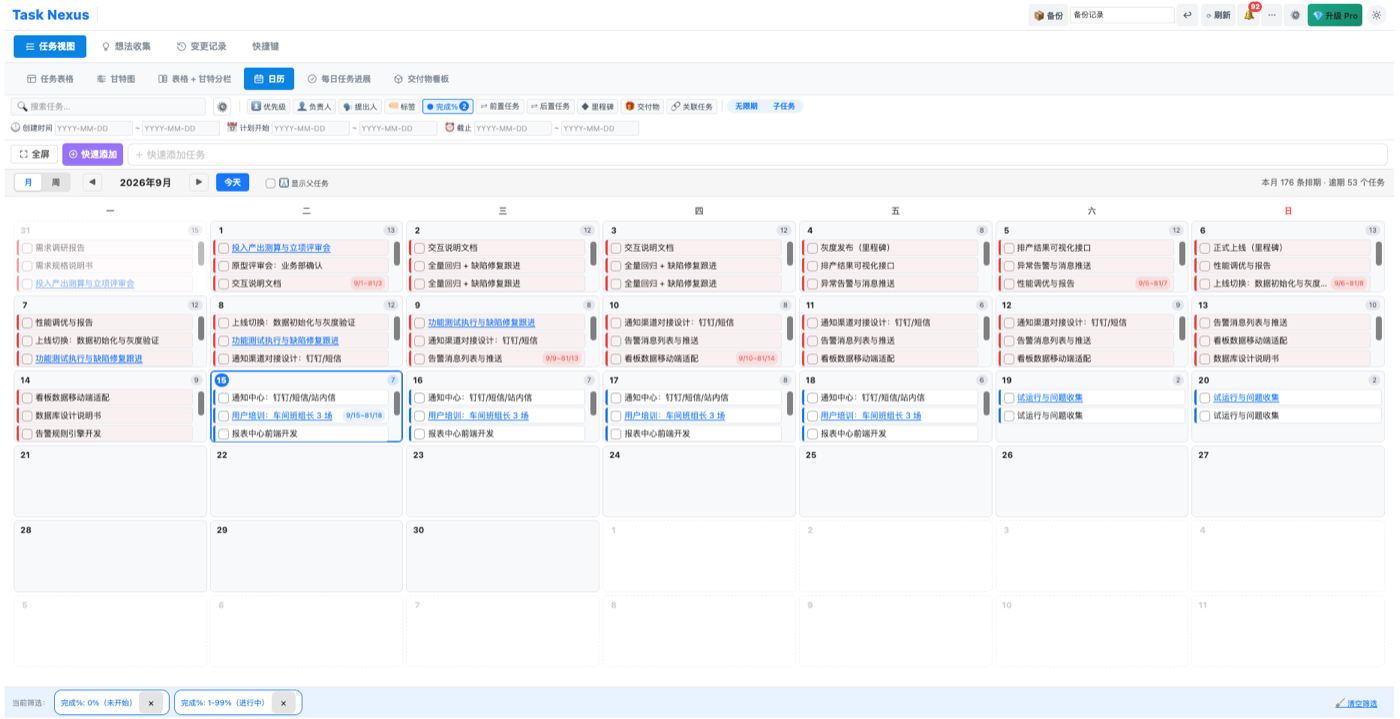
Calendar board
  • Calendar view in both task and project views
  • Tasks placed automatically from planned start and due dates
  • Week / month toggle, drag bars to reschedule and keep duration
Free
๐Ÿ“…

Daily progress

Check in daily, record progress, and watch the bar move by itself
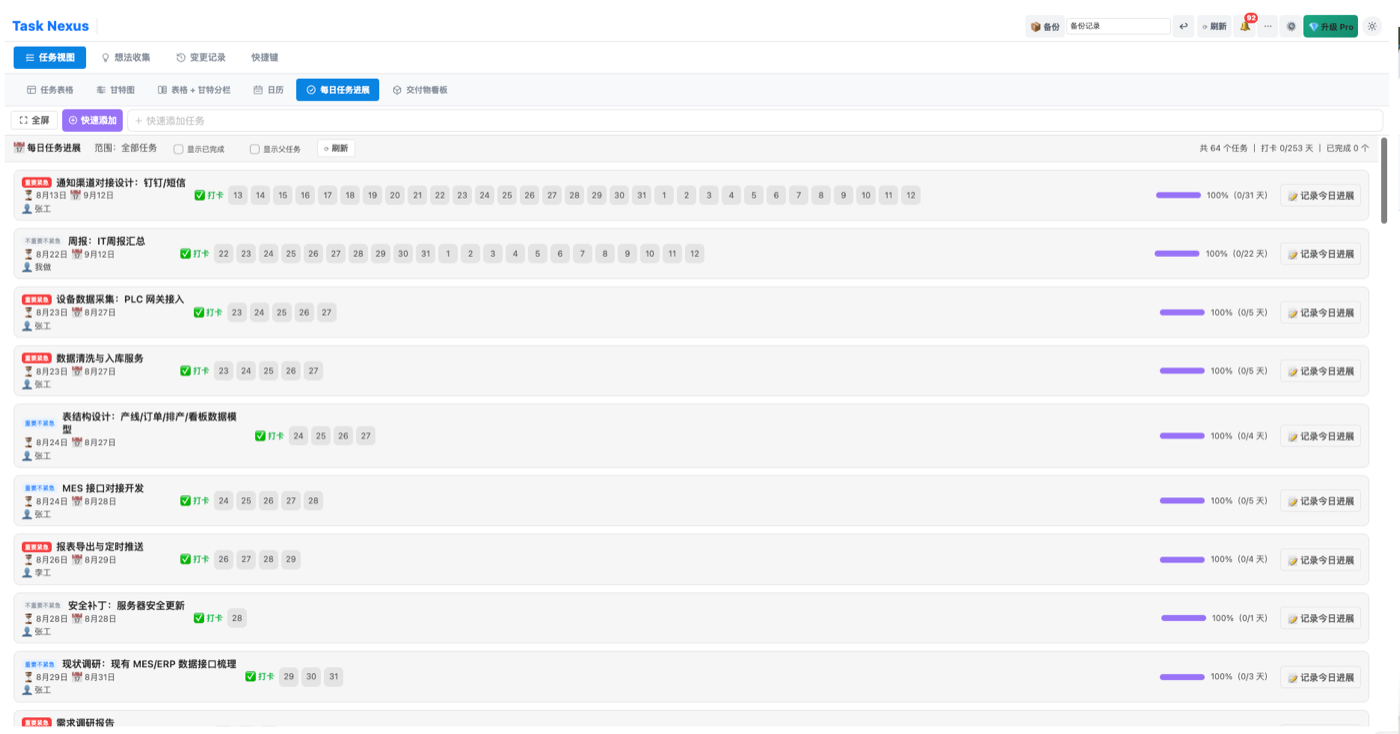
Daily task progress
  • Check-in style daily updates, progress advances with duration
  • Priority colours, start/due icons, owner on one screen
  • Log hours directly and jump to the full work log
Free
โญ

Task rating

Rate a task the moment it is done, so retrospectives have evidence
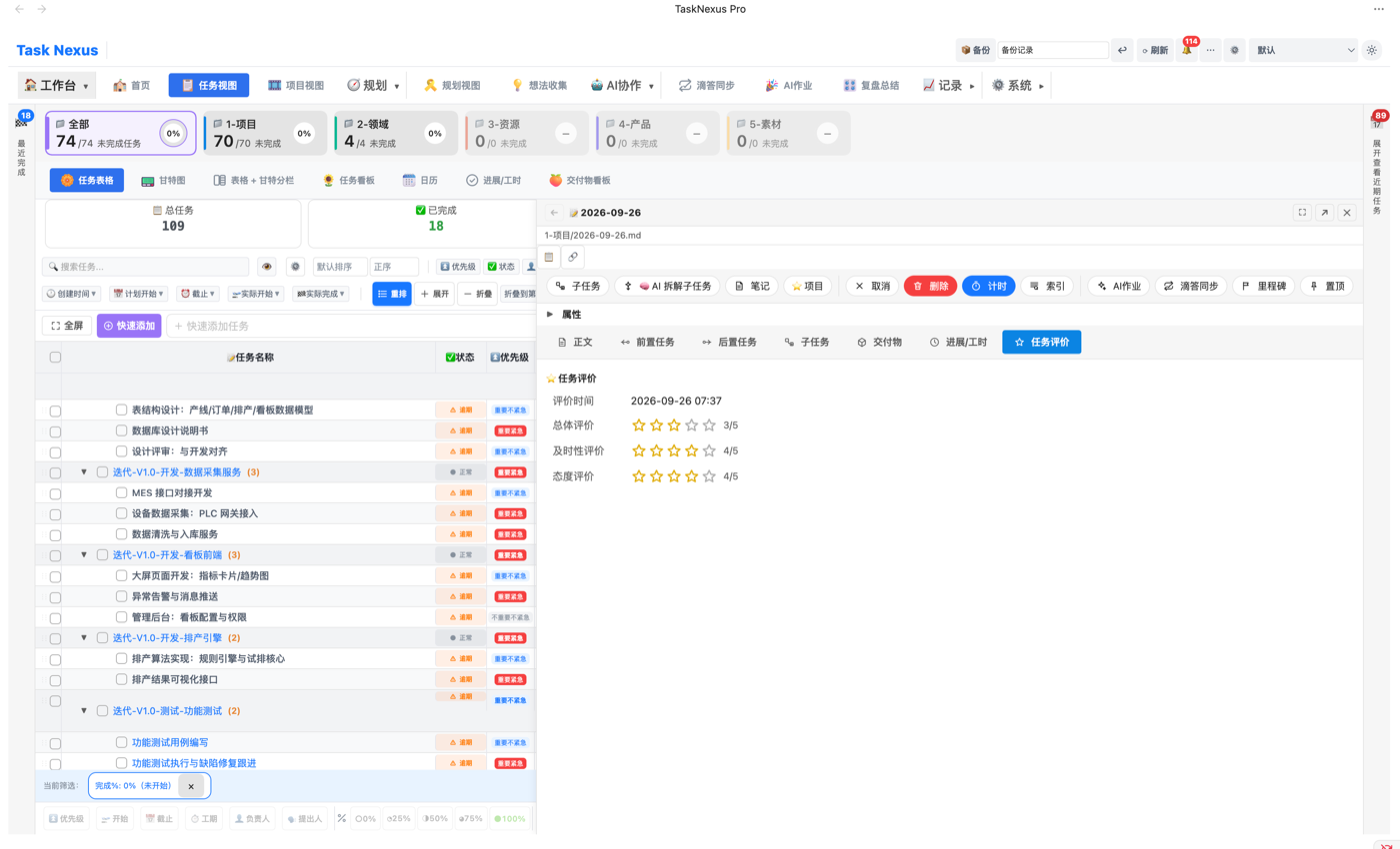
Task rating in task details
  • New "Task rating" tab in task details
  • Star rating column in the task table
  • Click a row to rate, saved instantly
Free
โš™๏ธ

Rebuilt settings centre

Settings navigation redesigned โ€” no more digging for a feature

New settings page
  • Top-level tabs in five groups: Workspace / Planning / AI / Records / System
  • Section navigation rebuilt, section titles jump straight there
  • Search settings by keyword
  • Skins, icon sizes and other new options grouped together
6
time scales
From week to year, for every scenario
27
core modules
Covering the whole project workflow
0
external dependencies
Pure native Obsidian experience
โˆž
Markdown-native
Your data stays your notes

Simple pricing, in US dollars

Start free. Upgrade once if you need the full toolkit.

๐ŸŽ
Free
$0
Forever ยท No credit card

Everything you need to plan tasks on a Gantt timeline inside Obsidian.

  • Gantt timeline with multiple time scales
  • Quick add & basic settings
  • Idea inbox with one-click convert
  • Calendar board, skins & icons
  • Project view & workload
  • Stats dashboard & exports
Community edition ยท Open on GitHub

Free vs Pro

The free plan already goes far โ€” Pro makes you faster

Feature Free Pro โ€” $19.9
๐Ÿ—“๏ธ Gantt view โœ… Basic timeline visualisation, multiple time scales โœ… Full feature set
โšก Quick add โœ… One-click task creation โœ… Full feature set
๐Ÿ”ง Basic settings โœ… Folder filters, display options โœ… Full feature set
๐Ÿ—‚๏ธ Project view โ€” โœ… Project stats, workload per person
๐Ÿ“… Today panel โ€” โœ… Daily to-dos, kanban mode
๐Ÿ’ก Idea collection โœ… Quick capture, one-click to task โœ… Full feature set
๐Ÿ”„ TickTick sync โ€” โœ… Two-way sync
โฑ๏ธ Task timer โ€” โœ… Time tracking and settlement
๐Ÿ“Š Stats dashboard โ€” โœ… Global data dashboard
๐Ÿ“ Change log โ€” โœ… Audit trail and rollback
๐Ÿ”” Notifications โ€” โœ… Overdue and assignment alerts
๐Ÿค– AI jobs โ€” โœ… Agent board, status flow
๐Ÿ‘ฅ People view โ€” โœ… Member overview, multi-view, deliverables and hours
๐ŸŽฏ Goals (OKR) โ€” โœ… Goal / KR boards, cycle reviews
๐Ÿค– AI task decomposition โ€” โœ… Template-driven, preview before write-in
๐Ÿ“ AI meeting minutes โ€” โœ… Structured summaries generated automatically
๐Ÿ” AI review summary โ€” โœ… Plan โ†’ execute โ†’ review loop
๐Ÿ—บ๏ธ Planning view โ€” โœ… Mind-map planning, tree layout
๐Ÿ“‹ Task kanban โ€” โœ… Drag-and-drop status flow
๐Ÿ“ฆ Deliverables โ€” โœ… Centralised deliverables, drag upload
๐Ÿ“‹ Resource scheduling โ€” โœ… Per-person scheduling, capacity planning
๐Ÿ  Home dashboard โ€” โœ… Card layout, icons, backgrounds
๐Ÿ—“๏ธ Calendar board โœ… Calendar scheduling, drag to reschedule โœ… Full feature set
๐ŸŽจ Skins & custom icons โœ… Multiple skins, shared icon library โœ… Full feature set
๐Ÿ“… Daily progress โœ… Check-in records, hour entry โœ… Full feature set
โญ Task rating โœ… Star ratings โœ… Full feature set
๐Ÿ–ผ๏ธ Project icons & backgrounds โ€” โœ… Per-project icon and background
โš™๏ธ Rebuilt settings centre โœ… Grouped navigation, settings search โœ… Full feature set
๐Ÿ’ฐ Price Free forever $19.9 USD ยท one-time

Who is it for?

From solo work to teams, from simple to complex

๐Ÿ‘ค

Individual developers

Manage your own projects and tasks, plan iteration cycles on a Gantt chart, and let AI break down complex requirements.

๐Ÿ‘”

Project managers

Track team progress on the stats dashboard, focus each day in the Today panel, and audit every change in the change log.

๐Ÿข

IT leaders

Run multiple projects in parallel with workload analysis and data-driven collaboration across the IT team.

๐ŸŽ“

Students & researchers

Track thesis progress, research projects and graduation schedules โ€” make time visible on a Gantt chart.

What makes Task Nexus different

๐Ÿ“

Markdown-native

Your data is a plain - [ ] task list, never locked into a proprietary format. Switch plugins and your data is still there.

๐Ÿงฉ

Zero external dependencies

No database, no cloud service. Everything lives in your Obsidian vault โ€” 100% local.

๐Ÿค–

AI-native integration

DeepSeek / GPT-4 built in for requirement decomposition, meeting import and smart scheduling โ€” let AI do the work.

๐Ÿ”—

Notes are projects

Every folder is a project. No need to build a separate project management system outside Obsidian.

๐Ÿ—“๏ธ

Start planning in Obsidian today

Install the Free edition in under a minute, or go straight to Pro for the full toolbox.

Obsidian v1.0+ ยท Windows / macOS / Linux ยท Licence key delivered by email

๐Ÿ“ž Support & community

Questions, bug reports or licence issues โ€” reach us through channels that work worldwide.

Existing Pro customer? Your licence key arrives by email after purchase. Reply to that email for activation help โ€” we answer within 24h. Contact support